Make Your MacBook Battery Last Longer With This Setting
MacRumors • • general
Key Points:
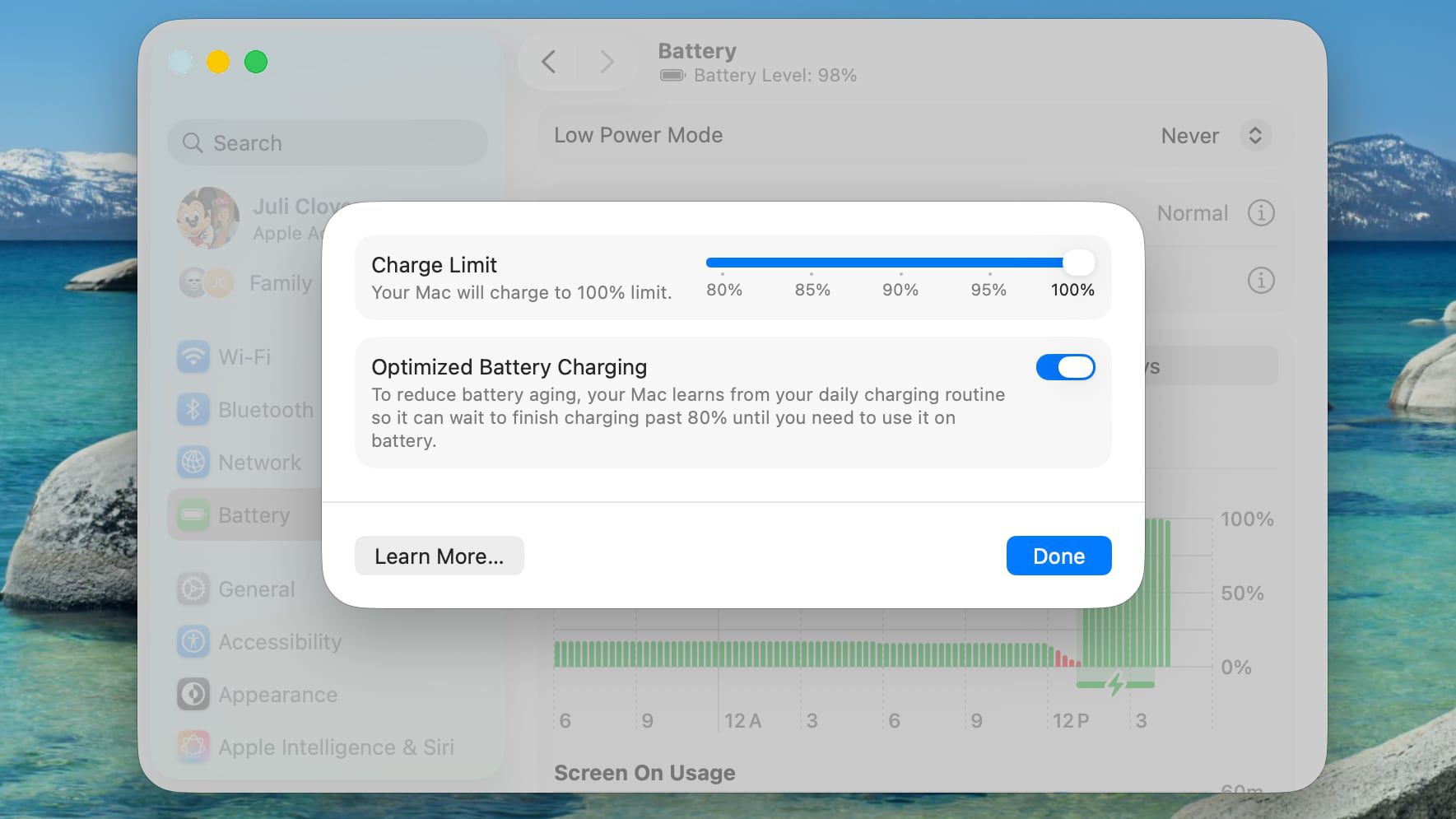
- Apple has introduced a new Charge Limit feature in macOS Tahoe 13.4 that allows MacBook users to cap their battery charge at 80%, 85%, 90%, 95%, or 100%, helping to reduce long-term battery degradation.
- This feature targets the issue of lithium-ion batteries degrading faster when held at a high state of charge, a problem previously addressed on recent iPhone models starting with the iPhone 15.
- The Charge Limit differs from Optimized Battery Charging by preventing the battery from regularly reaching 100%, whereas Optimized Battery Charging delays charging past 80% based on usage patterns but may still allow full charges.
- Users who mostly keep their MacBook plugged in at a desk may benefit from setting a lower charge limit to extend battery lifespan, while those needing longer unplugged use might prefer a higher limit to balance battery health and usability.
- To enable the feature, users can navigate to System Settings > Battery > Charging on their Mac and adjust the Charge Limit slider to their preferred percentage; the Mac will then stop charging once that level is reached, with occasional full charges for accurate battery calibration.


