Customer service

How do you contact them with no link. Tried to redeem and says my account is locked and contact but no where is there a link. 

0
0
Comments 7
  • Profile Image
    Nostalgic
    It's supposely in your setting then there you see the "contact us" although many people had many issue and yet they hadn't anything to them I think
    • Profile Image
      Vivian Hall
      Yes 1)home screen 2) setting round tool symbol 3) scroll down to customer support and leave a message. 
      ****I have done it several times and always got reply back by the next day. When I went to cash out for reward it also said mine was locked and they fixed it and I did get my reward multiple times.
  • Chris Larsen
    Author
    Thanks
  • Profile Image
    Vivian Hall
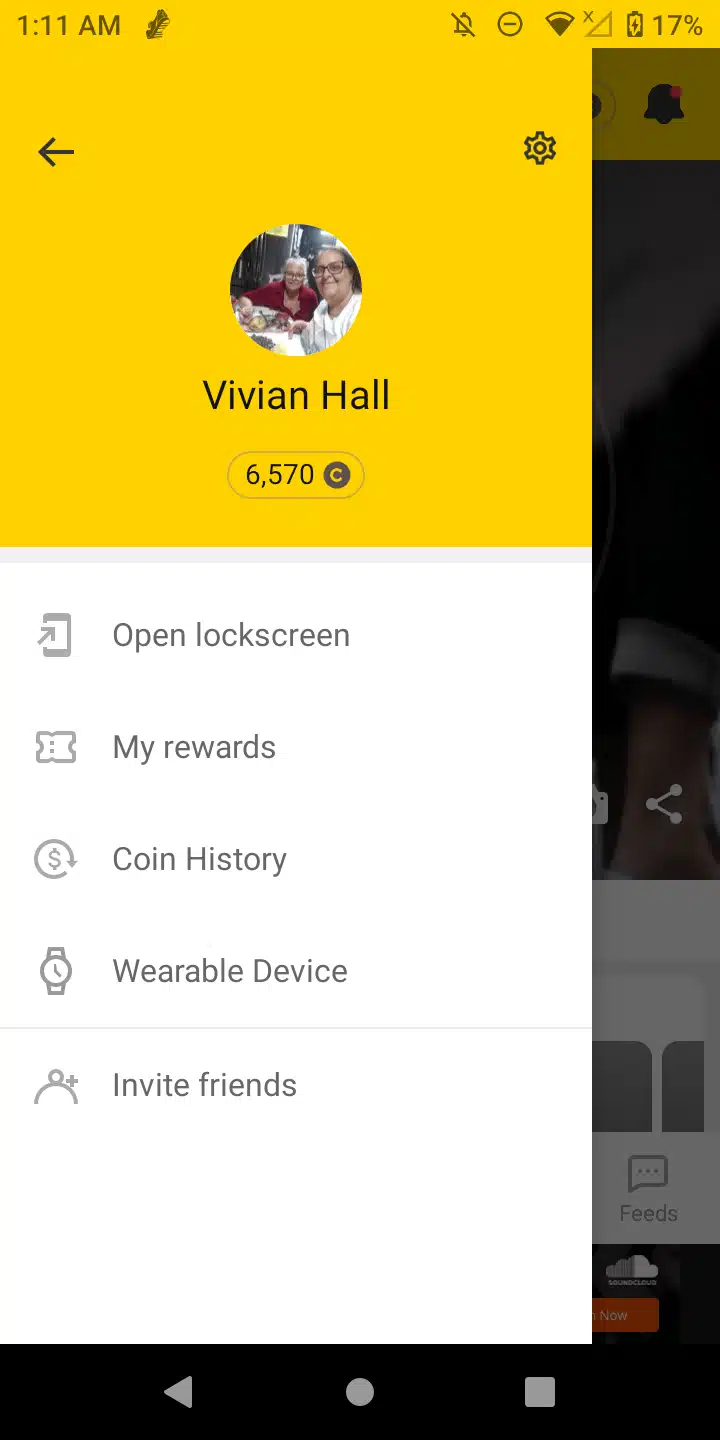
    1) home screen icon with shoe at bottom 
    2) top left 3 lil lines tap
    3) you then see screen I show below top right corner tap round tool icon scroll down to customer support tap and leave a message. 
    *** Hopefully this helps you it has happened to me before saying that was locked and they were able to get everything through and I did get rewarded. 
    *** I haven't been on this app in a long time I'm just getting back with it on my phone so I can't recall if this is the one that replies through email or you go back to your customer support spot and within a day or two they will reply back to you
    1000002477.png_resize
  • Chris Larsen
    Author
    Thank you Vivian that worked and message sent
  • Chris Larsen
    Author
    Thanks Vivian, that worked and message sent
  • Profile Image
    Cashwalk_official
    Hi, we’re sorry for the inconvenience you experienced.
    
    To help us review your account thoroughly and offer accurate support, please contact us by following the steps below:In the app → Menu → Settings → [Contact Us]
  • This comment has been deleted.